RoomMatch UHM

Welcome to RoomMatch UHM, a student-focused housing compatibility platform designed to connect University of Hawaiʻi at Mānoa students seeking roommates or housing opportunities.
Table of Contents:
Project Goals
- Match UH students with compatible roommates.
- Help students find housing near campus.
- Build a trusted community-based housing network.
Planned Features
- UH email verification
- Compatibility-based roommate matching
- Room listings with filters and search
- Secure in-app messaging
Team Members
- Brooke Clifton
- Ethan Garcia
- Harrison Gray
- Lara Miyakawa Ho
- Miley Chun
Deployment
Vercel Page
Development
M1 Progress Page
M2 Progress Page
M3 Progress Page
Team Contract
RoomMatch UHM is designed and implemented by Brooke Clifton, Ethan Garcia, Harrison Gray, Lara Miyakawa Ho, and Miley Chun. Our collaborative agreement outlines our team's shared goals, roles, and how members will interact to work together effectively.
User Guide
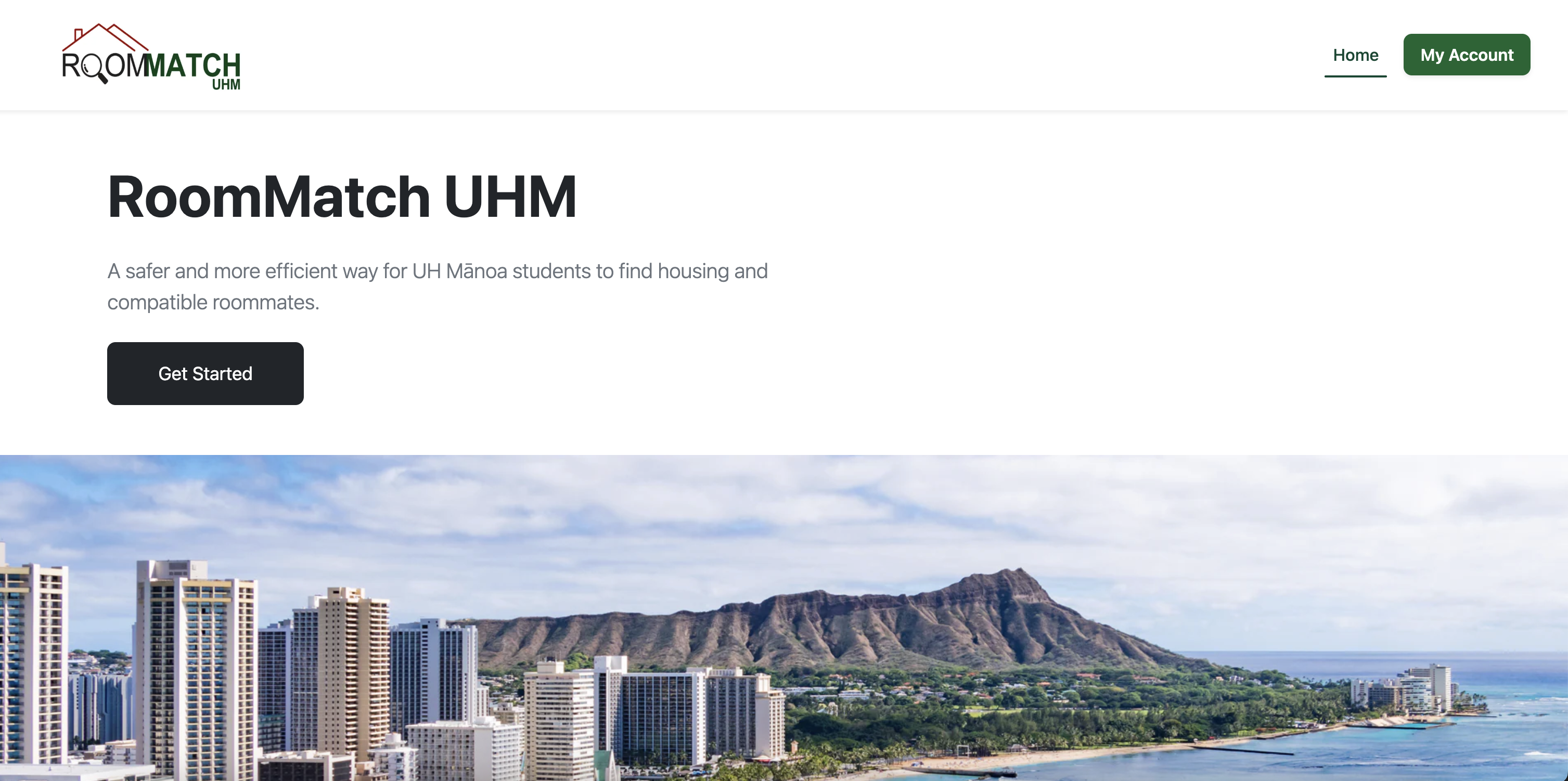
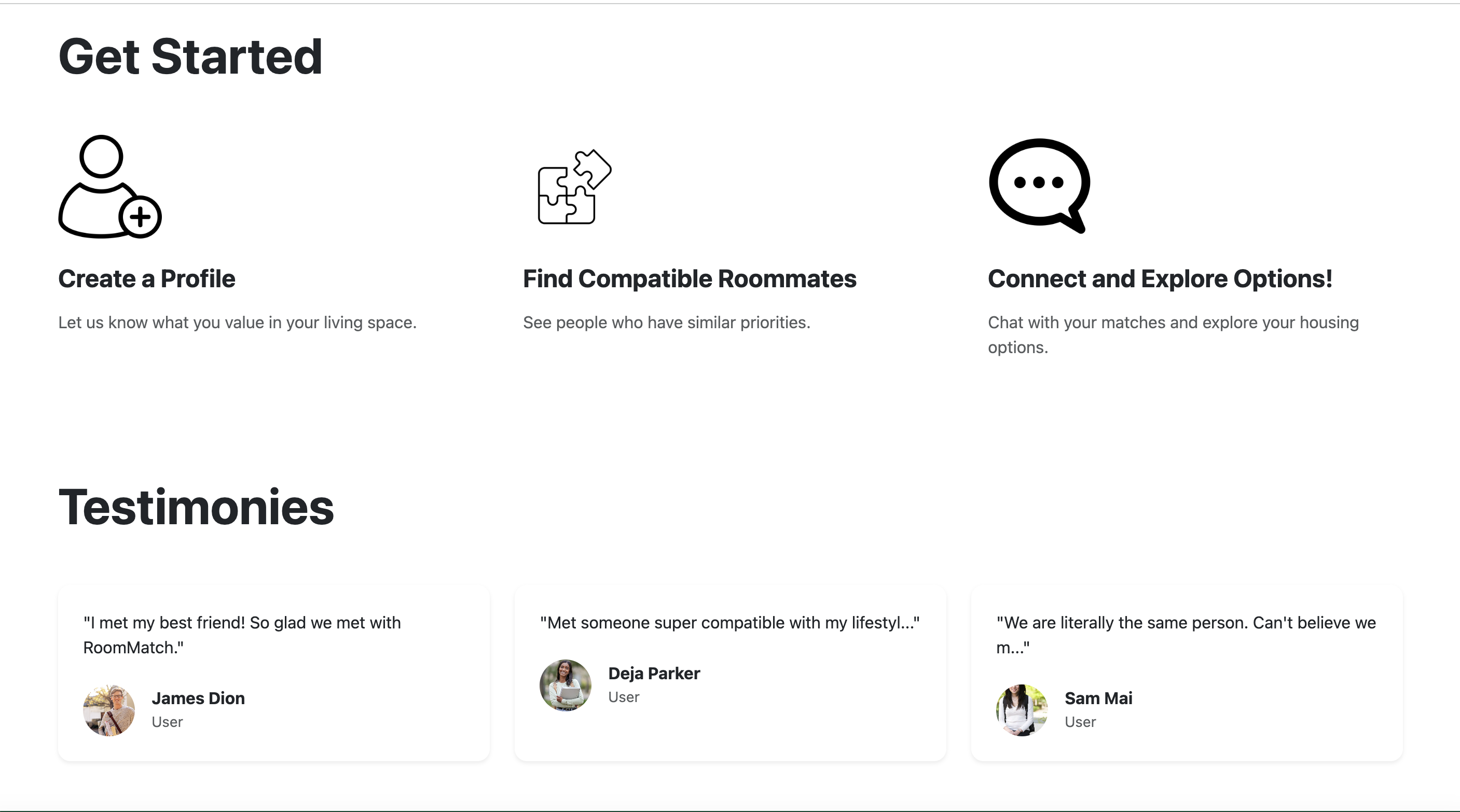
Landing Page
The first page users see when visiting RoomMatch UHM:
- "Get Started" button and introduction to the app.
- Navigation options at the top: View RoomMatches, Create a Profile, and My Profile.
- Example testimonies from other students using the app to encourage engagement.
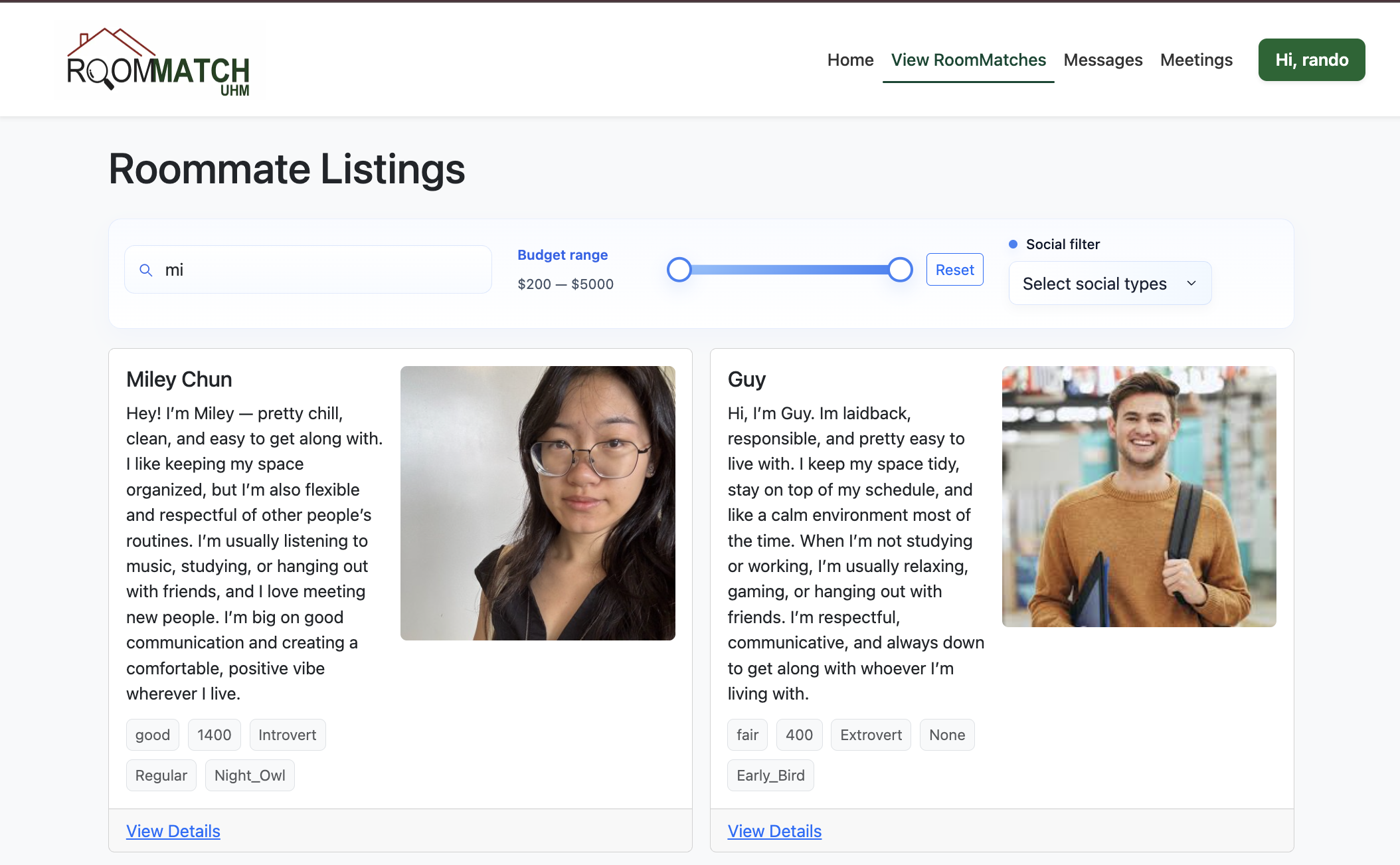
Listings Page
Shows students that our algorithm predicts as compatible roommates:
- Displays potential roommates with a brief profile summary.
- Users can click the Chat button to start a conversation.
- Helps students find matches quickly and efficiently.
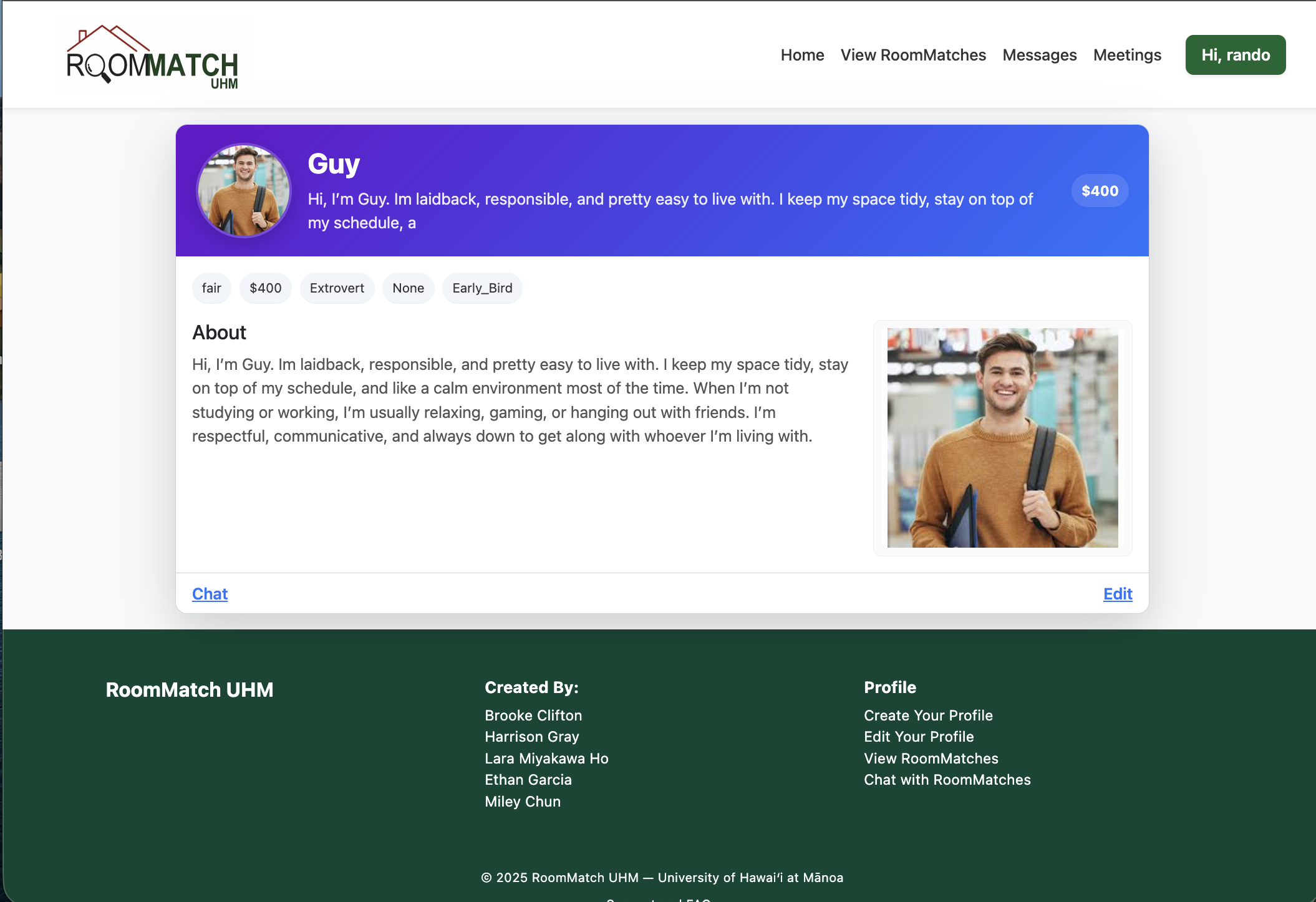
Profile Page
Displays an individual student's complete profile:
- View detailed information about the student.
- Enter your own information and send a message to reach out to the student.
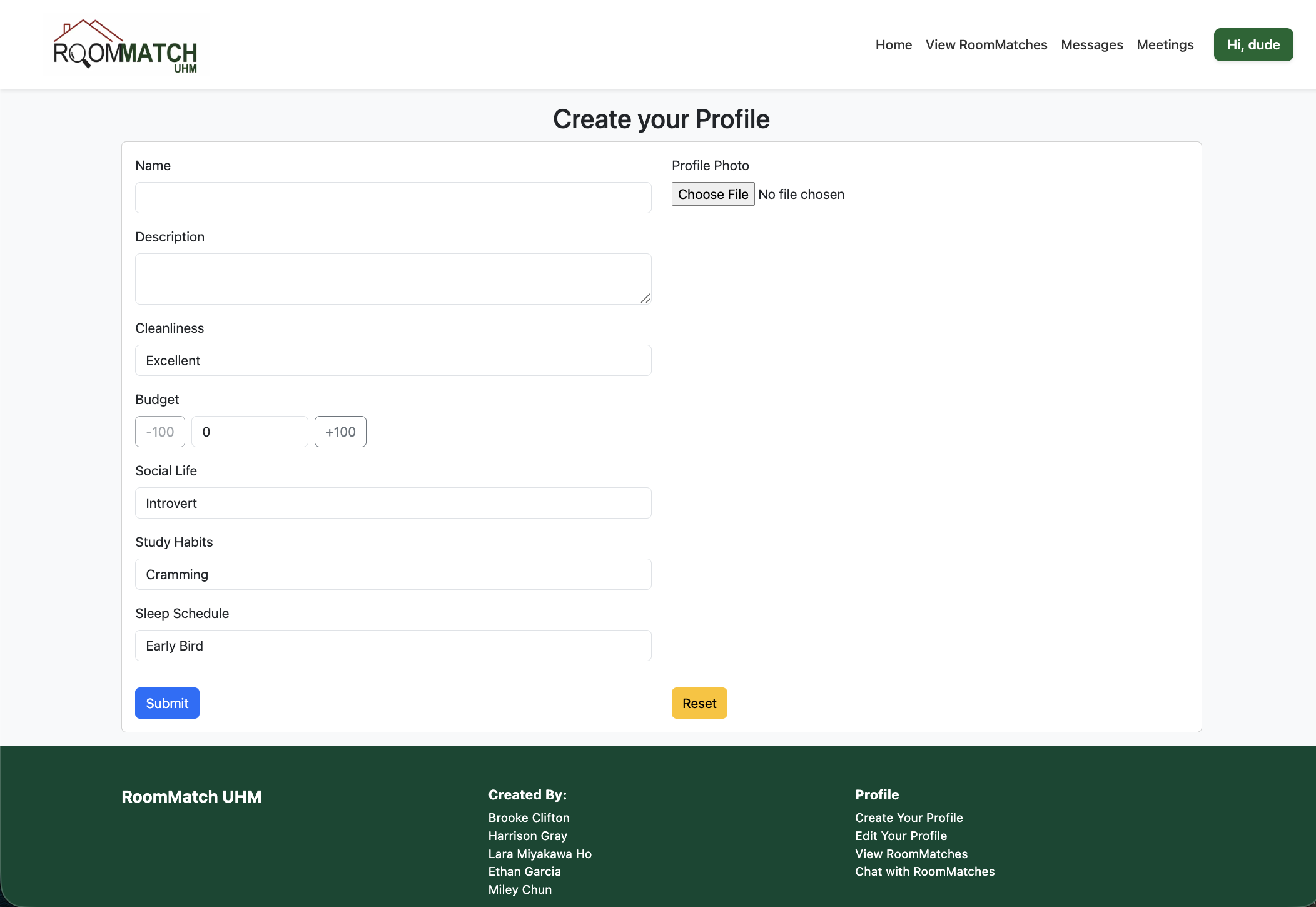
Create Profile
Allows students to set up their profile for matching:
- Input personal and contact information.
- Answer questions such as budget, study habits, and sleep schedule.
- Submitting the profile enables the app to generate compatibility suggestions.
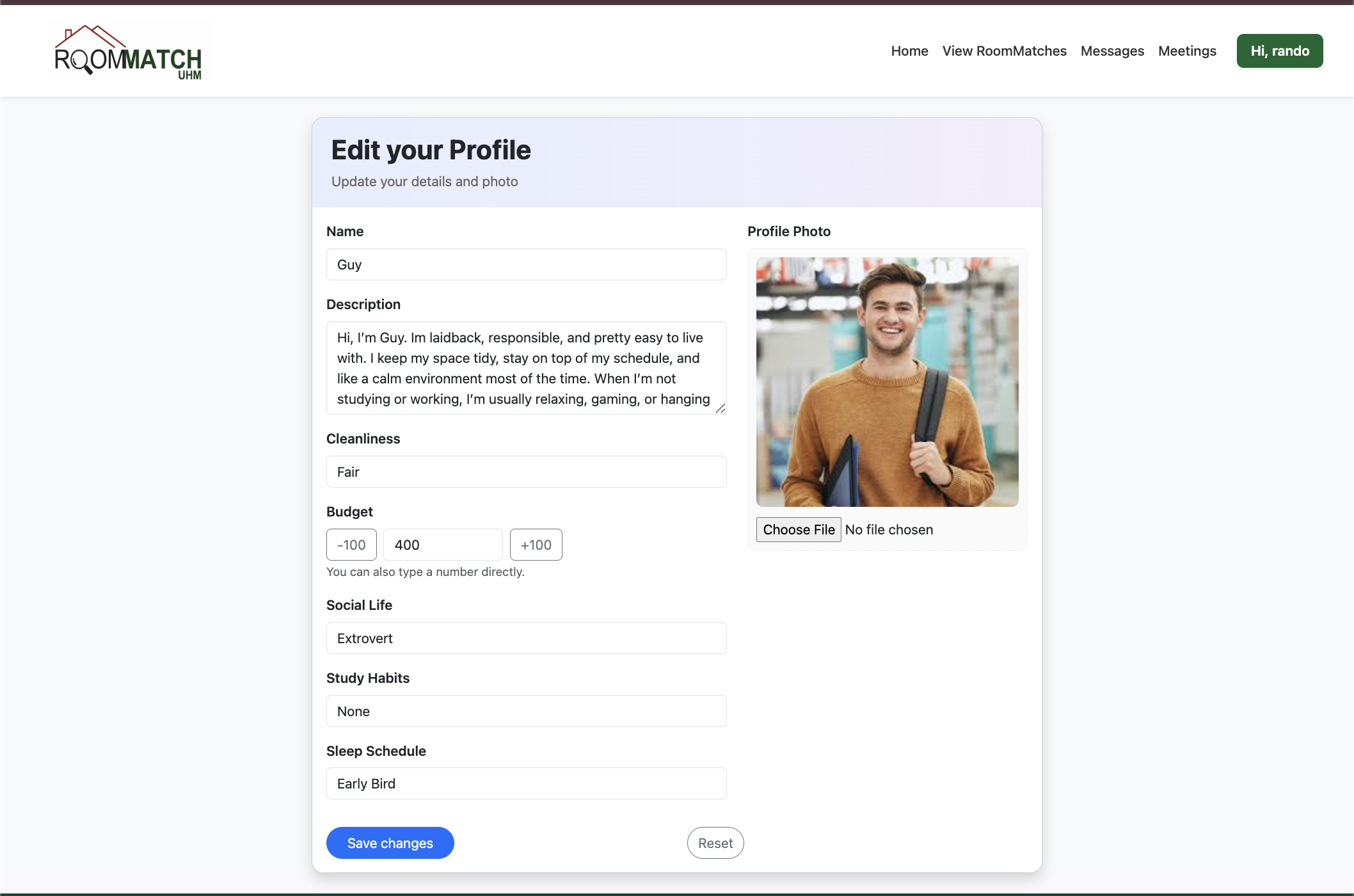
Edit Profile
Allows students to make edits to their profile
- Rewrite personal and contact information.
- Reanswer questions such as budget, study habits, and sleep schedule.
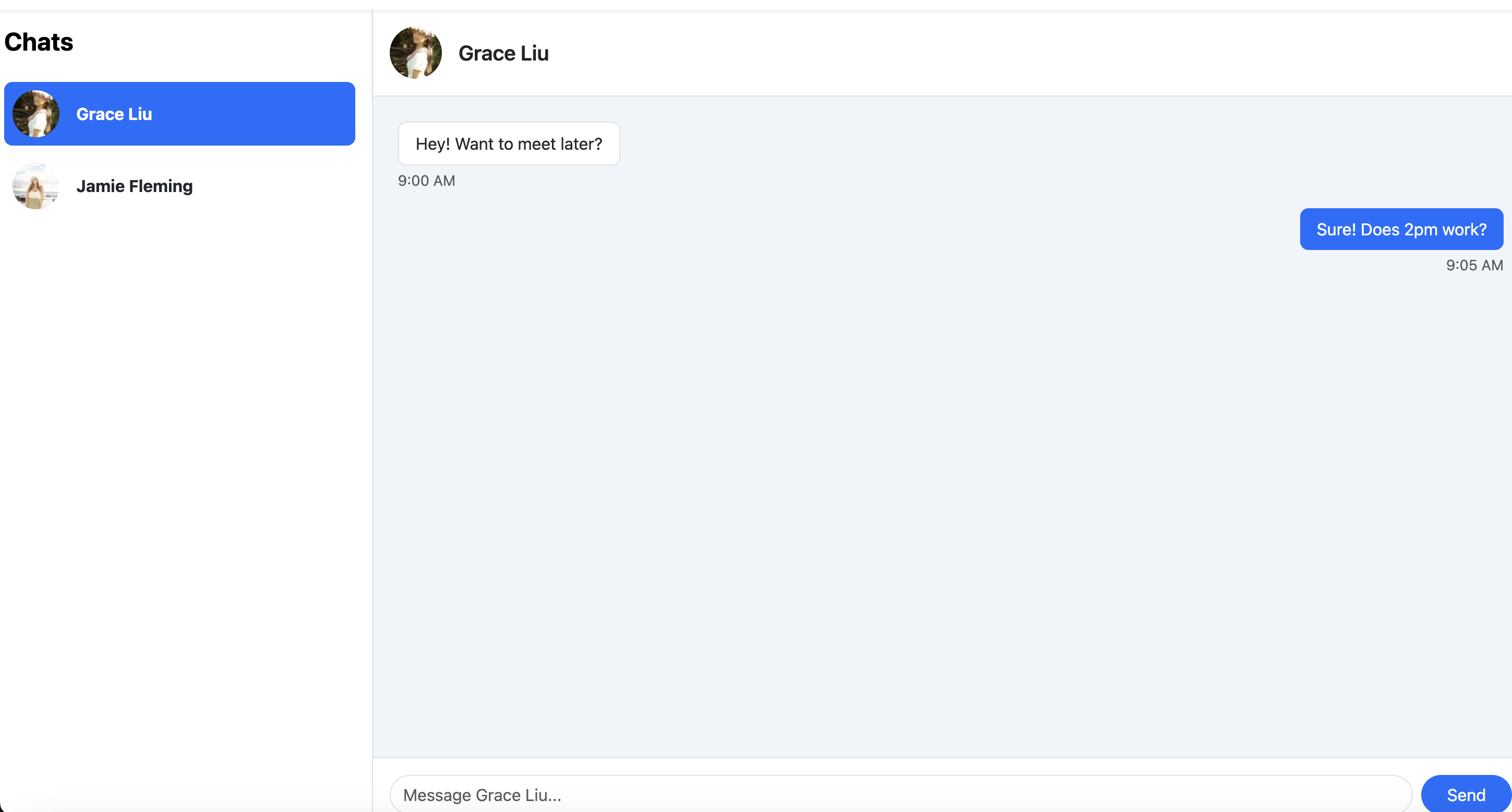
Messages Page
The Messages Page enables users to chat directly with potential or matched roommates. Designed for clean, easy communication on both mobile and desktop.
- Chat interface with message bubbles.
- List of conversations on the left, selected conversation on the right.
- User profile pictures for identification.
- Responsive layout.
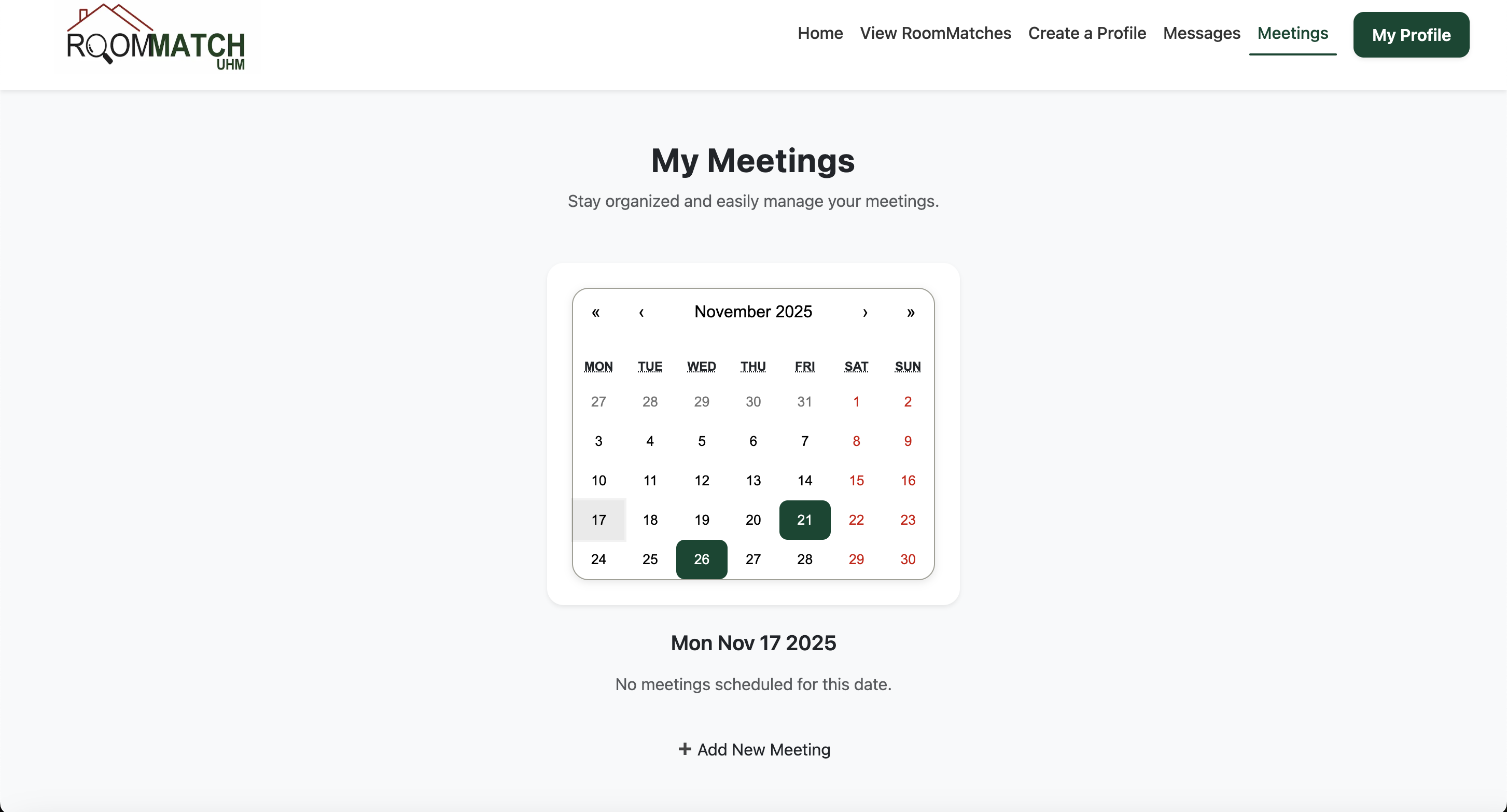
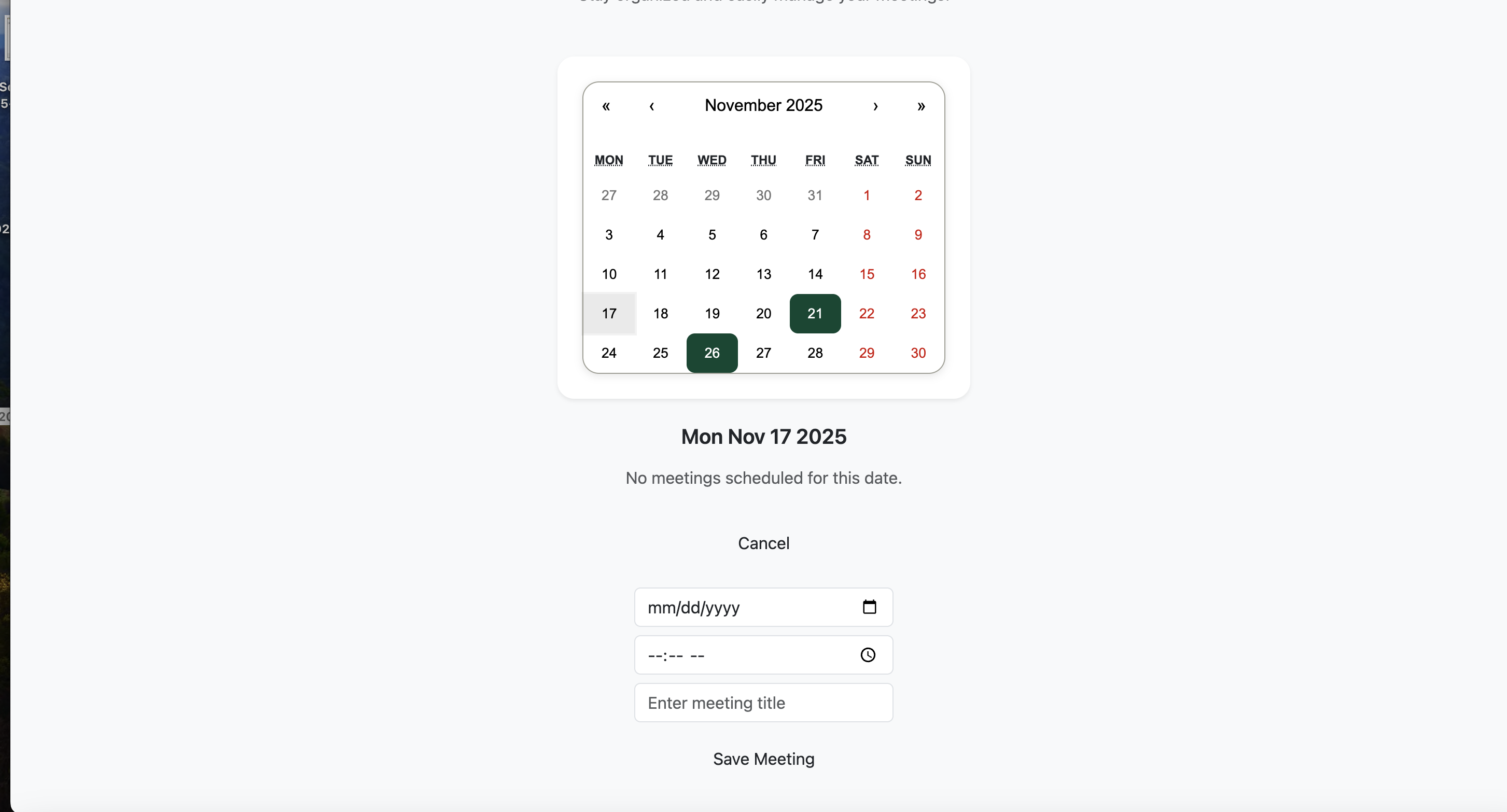
Meetings Page
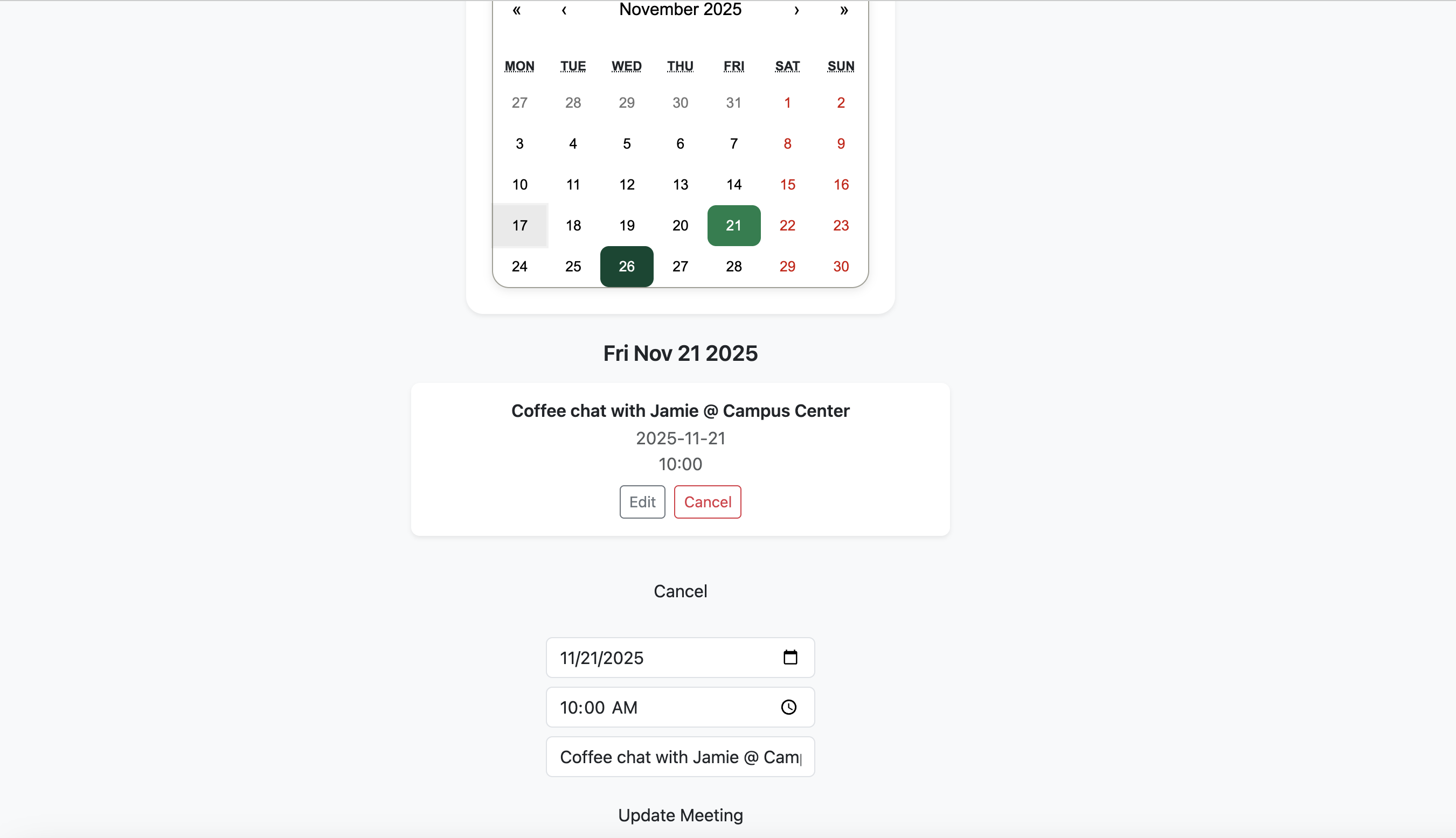
The Meetings Page helps students track upcoming roommate meetups or housing appointments.
- Interactive React Calendar.
- Add new meetings with title, date, and time.
- Edit or cancel existing meetings.
- Highlighted calendar days for scheduled meetings.
Community Feedback
See what some trial users had to say about RoomMatch UHM:
- 80% of users said that is was extremely easy to use RoomMatch.
- 80% of users said that matches reflected their lifestyle extremely accurately.
- 60% of users rated the user interface/design of RoomMatch as excellent.
One user brought up was that the landing page's "Get Started" button still routed to the "Create Profile" page, even if they were already logged in.
One user found a bug that caused direct messages to route to the wrong recipient.
Some suggestions for how RoomMatch could improve were: Include a gender element in the sign up process, add social media field to profiles, and fix the messaging issues.
Developers Guide
Welcome to the RoomMatch UHM Developers Guide. This guide walks you through how to download, install, run, and modify the system. It is designed for new developers joining the project, and for contributors who want a clear understanding of the workflow.
System Requirements
- Node.js v18 or later
- npm (comes bundled with Node.js)
- Git for version control
- Visual Studio Code (recommended)
- PostgreSQL (via Vercel Postgres)
- A modern browser (Chrome, Firefox, Safari)
Downloading the Project
Clone the repository:
git clone https://github.com/roommatch-uhm/roommatch-uhm-v1.git
cd roommatch-uhm-v1
Environment Setup
Create a .env file in the project root and paste the
environment variables from Vercel Postgres.
Example .env:
NEXTAUTH_SECRET=your-secret-here
NEXTAUTH_URL=http://localhost:3000

POSTGRES_DATABASE="verceldb"
POSTGRES_HOST="***"
POSTGRES_PASSWORD="***"
POSTGRES_USER="default"
POSTGRES_PRISMA_URL="postgres://..."
POSTGRES_URL_NON_POOLING="postgres://..."
POSTGRES_URL_NO_SSL="postgres://..."

DATABASE_URL="${POSTGRES_PRISMA_URL}"
Installing Dependencies
Run the following command to install the project dependencies:
npm install
Database Setup (Prisma)
Generate the Prisma client:
npx prisma generate
Push the schema to the database:
npx prisma db push
(Optional) Seed the database:
npx prisma db seed
Running the Application
Start the development server:
npm run dev
Then visit:
Project Structure
The main folders in this project are:
app/                → Main Next.js app pages and routes
components/         → Reusable UI components
lib/                → Authentication and Prisma setup
prisma/             → Database schema & seed file
public/             → Images and static assets
styles/             → Global CSS
Modifying the System
Updating the Navbar
Located at: components/Navbar.tsx
- Add or hide navigation links
- Customize the dropdown menu
- Show/hide links based on login state
Adding New Pages
Add a new folder under app/:
app/report-user/page.tsx
The page becomes available automatically at /report-user.
Updating the Database Schema
Modify prisma/schema.prisma and run:
npx prisma db push
npx prisma generate
Creating API Routes
Add an API route under app/api/. Example:
app/api/messages/send/route.ts
Updating Authentication
Auth behavior is controlled in:
lib/authOptions.ts
Testing
Run Playwright tests:
npm run playwright-development
Run Jest tests:
npm test
Deployment
- Push your changes to GitHub
- Connect the repo to Vercel
-
Add all
.envvariables in Vercel → Settings → Environment Variables - Deploy
Contributing Workflow
Standard team workflow:
git checkout -b feature/some-feature
git commit -m "Added new feature"
git push -u origin feature/some-feature
Then open a Pull Request in GitHub.
© 2025 RoomMatch UHM • Created by the RoomMatch UHM Team